
7 Common Typing Mistakes That Stop Government Exam Aspirants From Reaching 40 WPM
Avoid these critical errors that prevent 90% of aspirants from reaching 40+ WPM. Learn what not to do when preparing for government typing tests.
VectorTyping Team
5 Mar 2026
8 min read
You've been practicing for weeks.
Maybe even months.
Yet your typing speed is still stuck at 25–30 WPM.
You take test after test, but the numbers barely move.
If this sounds familiar, don't worry—you are not alone.
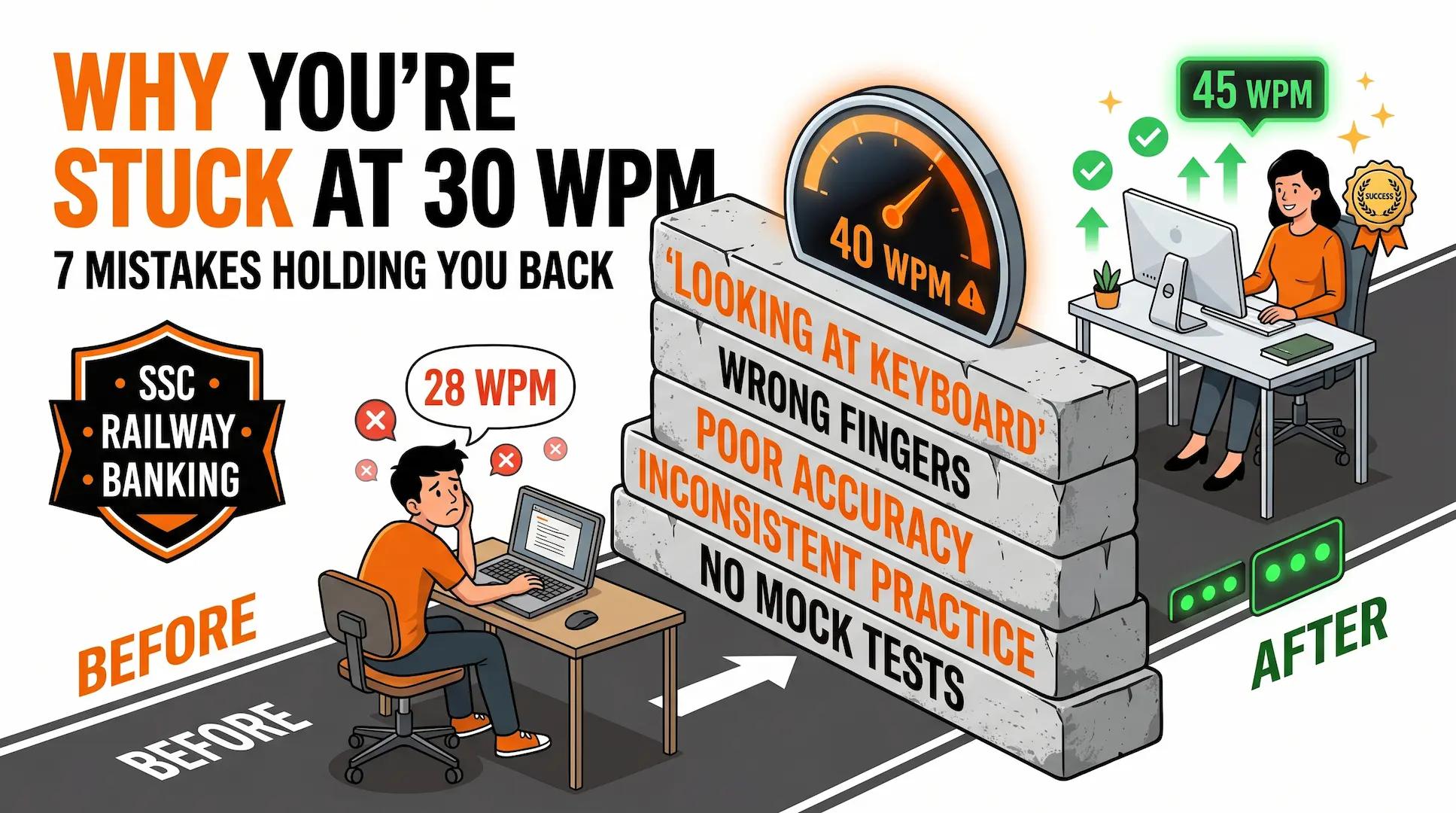
Most government exam aspirants don't fail because they lack effort. They fail because they're practicing with habits that quietly limit their progress.
After analyzing thousands of typing test results from government exam candidates, certain patterns appear again and again.
Let's identify the mistakes that may be holding you back.
Mistake #1: You Still Look at the Keyboard
Here's a quick test.
While typing, ask yourself:
"Do I know where the next key is without looking?"
If the answer is no, this is likely your biggest obstacle.
Every time you look down:
- Your typing rhythm breaks.
- Your eyes leave the screen.
- Your brain pauses to locate keys.
- Your speed drops.
Candidates who rely on visual key searching rarely cross 35 WPM consistently.
What Successful Typists Do
They build muscle memory.
The fingers learn key locations through repetition until typing becomes automatic.
Fix This Week
Challenge yourself to complete one typing session every day without looking at the keyboard.
Expect slower speeds initially. That's normal.
Mistake #2: You're Using Only 2–4 Fingers
Many self-taught typists develop their own typing style.
The problem?
Most of these styles work reasonably well up to 30 WPM and then hit a wall.
Why?
Because a few fingers cannot physically keep up with increasing speed demands.
The Hidden Cost
Using only a few fingers means:
- More hand movement
- Longer travel distance
- Slower reaction time
- Faster fatigue
Fix This Week
Learn the home-row method:
Left Hand
- A S D F
Right Hand
- J K L ;
It feels awkward initially but dramatically improves long-term speed.
Mistake #3: You're Chasing WPM Instead of Accuracy
This is probably the most common mistake among SSC and Railway aspirants.
They open a typing test.
See a low WPM.
Then start typing faster.
And faster.
And faster.
The result?
More mistakes.
More corrections.
Lower effective performance.
The Reality
A candidate typing:
- 35 WPM with 97% accuracy
often performs better than someone typing:
- 45 WPM with 85% accuracy
Fix This Week
Forget speed for seven days.
Focus entirely on maintaining 95%+ accuracy.
Speed often improves automatically when mistakes decrease.
Mistake #4: Your Practice Schedule Is Random
Many aspirants practice like this:
- Monday: 90 minutes
- Tuesday: Nothing
- Wednesday: Nothing
- Thursday: 15 minutes
- Friday: Nothing
Typing doesn't work that way.
Typing is a motor skill.
Motor skills require repetition.
Better Approach
Instead of:
- 3 hours once a week
Try:
- 30 minutes every day
Daily practice builds muscle memory far more effectively.
Mistake #5: You're Practicing the Wrong Content
Typing random motivational quotes won't fully prepare you for government exams.
SSC, Railway, and Banking passages often contain:
- Formal language
- Administrative terminology
- Government vocabulary
- Longer sentence structures
Common Words That Slow Candidates Down
- Recruitment
- Commission
- Department
- Notification
- Administration
- Examination
Fix This Week
Spend at least half your practice time typing government-style passages.
Train with the same content you'll face on exam day.
Mistake #6: You're Ignoring Your Typing Environment
Most candidates never think about posture.
Until it starts affecting performance.
Poor ergonomics cause:
- Wrist strain
- Back pain
- Shoulder fatigue
- Reduced concentration
These issues become obvious during longer typing tests.
Quick Posture Checklist
✓ Back supported
✓ Feet flat on floor
✓ Screen at eye level
✓ Elbows near 90 degrees
✓ Shoulders relaxed
Small adjustments can create surprisingly large improvements.
Mistake #7: You Never Practice Under Pressure
Many candidates look excellent during casual practice.
Then struggle during actual exams.
Why?
Because they've never practiced with:
- Timers
- Stress
- Exam pressure
- Performance expectations
The Solution
Take at least one timed mock test every week.
Treat it like the real exam:
- No pauses
- No distractions
- No shortcuts
Mock tests expose weaknesses that normal practice often hides.
The Mistake Almost Nobody Talks About
Quitting Too Early
Most candidates quit just before progress starts accelerating.
Typing improvement is rarely linear.
A typical journey looks like this:
Weeks 1–2
You feel slow.
You make mistakes.
Progress feels invisible.
Weeks 3–4
Typing starts feeling more natural.
Mistakes decrease.
Confidence improves.
Weeks 5–8
Speed increases rapidly.
Muscle memory takes over.
Results become obvious.
Unfortunately, many people quit during Weeks 1–2.
The candidates who succeed are usually the ones who continue despite slow early progress.
Your 7-Week Recovery Plan
Instead of fixing everything at once:
Week 1
Stop looking at the keyboard.
Week 2
Learn proper finger placement.
Week 3
Focus entirely on accuracy.
Week 4
Build a daily practice habit.
Week 5
Switch to government exam passages.
Week 6
Improve posture and ergonomics.
Week 7
Begin weekly mock tests.
Small improvements repeated consistently create massive results over time.
Final Thoughts
If your typing speed has been stuck for months, the answer is usually not "practice more."
It's "practice better."
Find the mistake that's holding you back.
Fix it.
Then move to the next one.
Most government exam aspirants can break through the 40 WPM barrier within a few months once they eliminate these common mistakes.
Stay consistent, trust the process, and keep typing.
About this article
Author
VectorTyping Team
Published
5 Mar 2026
Read time
8 min read
Category
Free to start · No sign-up required
Ready to improve your typing speed?
Practice SSC, Railway, Banking, Hindi & English typing with real exam passages and live WPM tracking.
97L+
Aspirants
10K+
Passages
100%
Free forever
Keep learning
Continue Reading
More articles on practice

Best Typing Websites 2026: Top 10 Free Typing Test & Practice Sites
Discover the best typing websites in 2026. Compare VectorTyping, Monkeytype, 10FastFingers, Keybr, TypingTest.com, and more to improve your typing speed and accuracy.
VectorTyping Team
·
7 Jun 2026
5 min read
Read
Touch Typing Tutorial: Learn to Type Without Looking at the Keyboard
Learn touch typing step-by-step with this beginner-friendly guide. Master proper finger placement, improve typing speed, and type without looking at the keyboard.
VectorTyping Team
·
6 Jun 2026
6 min read
Read
Typing Speed Test: Free Online WPM Test with Certificate
Take a free typing speed test online and check your WPM, accuracy, and typing performance instantly. Get a free certificate with verification ID on VectorTyping.
VectorTyping Team
·
5 Jun 2026
6 min read
Read