
What Is a Good Typing Speed? WPM Benchmarks by Age & Job (2026)
Wondering what a good typing speed is? Compare your WPM against typing speed benchmarks by age, profession, and skill level. Take a free typing test on VectorTyping.
VectorTyping Team
5 Jun 2026
7 min read
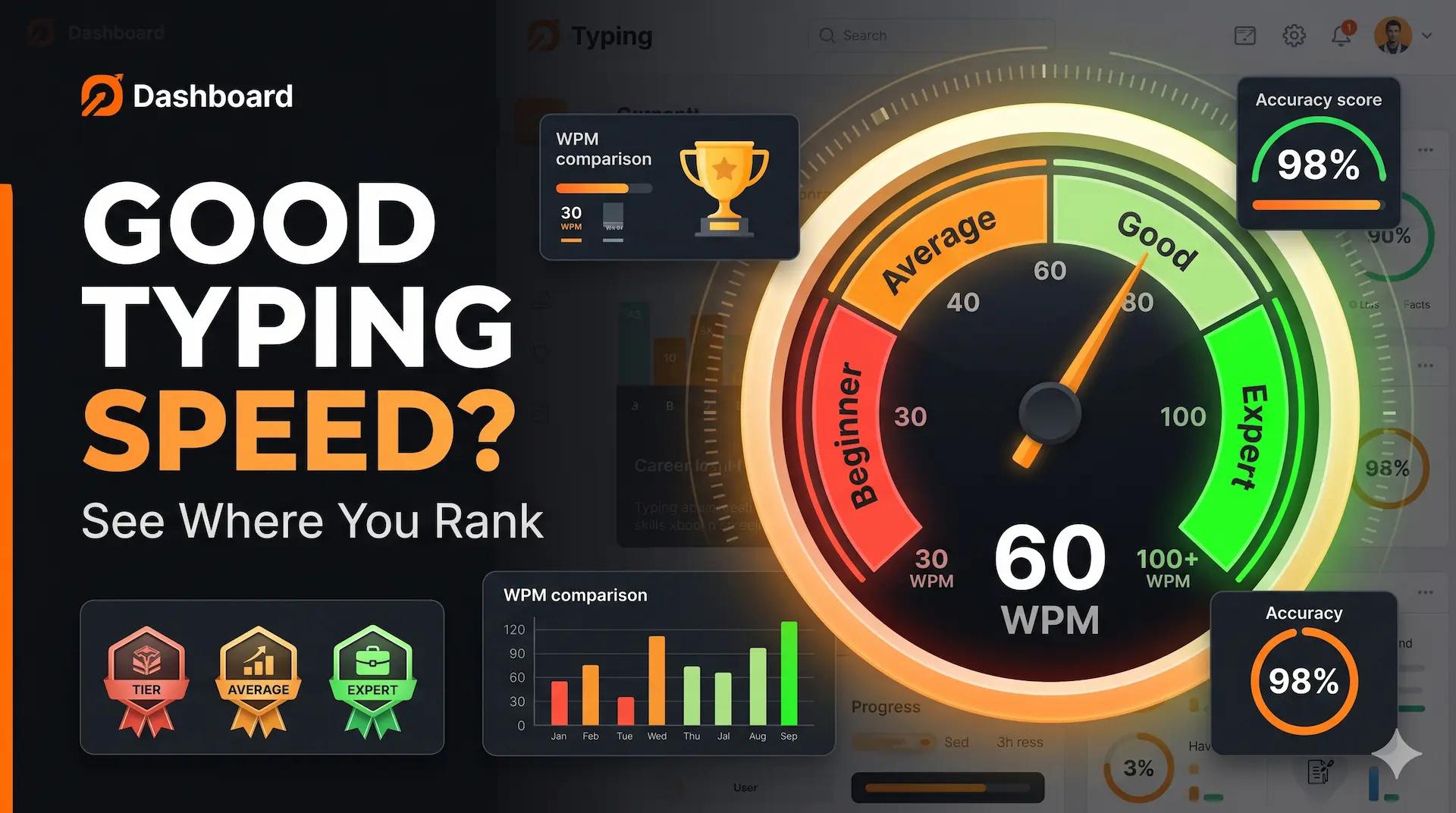
If you've ever taken a typing test, you've probably wondered: What is a good typing speed?
The answer depends on your age, profession, goals, and accuracy level. While some people only need basic typing skills, others—such as data entry operators, writers, and transcriptionists—require much higher speeds to perform efficiently.
In this guide, you'll learn the latest typing speed benchmarks, average WPM scores by age group, job-specific typing requirements, and practical ways to improve your typing speed.
You'll also discover where your typing speed ranks compared to other typists and what goals you should aim for in 2026.
Quick Answer: The Average Typing Speed Is Around 40 WPM
For most people, the average typing speed is approximately 40 words per minute (WPM).
Here's a quick reference:
Typing SpeedRatingBelow 30 WPMBeginner40 WPMAverage50–60 WPMGood70–80 WPMFast90+ WPMExpert100+ WPMElite
If you're already typing at 50 WPM or higher with 95%+ accuracy, you're performing better than the average computer user.
Check Your Current Typing Speed
Before comparing yourself to benchmarks, it's important to know your current WPM.
Take a free typing speed test on VectorTyping and instantly see:
- Words Per Minute (WPM)
- Accuracy Percentage
- Error Count
- Performance Rating
- Free Typing Certificate
Knowing your baseline makes it easier to set realistic improvement goals.
Typing Speed Benchmarks by Skill Level
Typing speed is generally categorized into six levels.
WPM Benchmark Table
Skill LevelWPM RangeBeginner0–30 WPMNovice31–40 WPMAverage41–55 WPMFast56–70 WPMExpert71–90 WPMMaster91+ WPM
What These Levels Mean
Beginner (0–30 WPM)
Most beginners are still learning keyboard layouts and finger placement. Many rely on the "hunt and peck" method.
Novice (31–40 WPM)
Novice typists can complete everyday tasks comfortably but may still look at the keyboard occasionally.
Average (41–55 WPM)
This range represents the typical office worker or student.
Fast (56–70 WPM)
Fast typists usually use touch typing and can work efficiently without frequent errors.
Expert (71–90 WPM)
Expert typists have developed strong muscle memory and excellent keyboard familiarity.
Master (91+ WPM)
This level is achieved by professional typists, competitive typists, and highly experienced keyboard users.
Estimated Distribution of Typists
Skill LevelApproximate User ShareBeginner25%Novice30%Average25%Fast12%Expert6%Master2%
Typing speeds above 90 WPM place you among the fastest typists online.
Average Typing Speed by Age
Age influences typing speed because keyboard familiarity, practice frequency, and computer usage vary across generations.
Typing Speed by Age Group
Age GroupAverage WPMKids (10–15)20–35 WPMTeens (16–19)35–55 WPMAdults (20–49)40–60 WPMSeniors (50+)25–45 WPM
Kids (10–15 Years)
Children are still developing coordination and keyboard familiarity. Typing programs and school assignments often help improve speed quickly.
Teens (16–19 Years)
Teens typically spend significant time using computers, smartphones, and educational software, leading to faster typing speeds.
Adults (20–49 Years)
Adults often reach their peak typing performance due to professional computer usage and regular keyboard exposure.
Seniors (50+ Years)
Typing speed may gradually decline due to reduced computer usage or physical factors, though many experienced typists maintain impressive speeds well into later years.
Why Age Matters
Age affects:
- Hand-eye coordination
- Keyboard familiarity
- Practice frequency
- Professional computer usage
However, practice has a much greater impact than age. Many adults improve from 40 WPM to 80+ WPM with consistent training.
Typing Speed Requirements by Job
Different careers require different typing speeds.
Data Entry Operator
Recommended Speed: 50–60 WPM
Data entry jobs involve entering large volumes of information quickly and accurately. Accuracy is often as important as speed.
Administrative Assistant
Recommended Speed: 60–70 WPM
Administrative professionals frequently handle emails, reports, documentation, and scheduling tasks.
Transcriptionist
Recommended Speed: 70–80 WPM
Transcription work requires rapid and accurate conversion of audio into text.
Programmer
Recommended Speed: 40–50 WPM
Programmers don't necessarily need extreme typing speed. Accuracy, problem-solving, and code quality matter far more than raw WPM.
Writer or Editor
Recommended Speed: 50–60 WPM
Writers benefit from faster typing because it allows ideas to flow without interruption.
Customer Support Executive
Recommended Speed: 45–60 WPM
Support professionals often manage live chats, emails, and customer tickets.
Virtual Assistant
Recommended Speed: 50–65 WPM
Virtual assistants perform a variety of administrative and communication tasks requiring efficient typing.
How Fast Do You Need to Type for Specific Exams?
Many competitive exams and government jobs include typing tests as part of the selection process.
SSC Typing Tests
For SSC-related positions, candidates generally need typing speeds ranging between 35–45 WPM in English and corresponding standards in Hindi, depending on the specific role and notification requirements.
Government Office Jobs
Many clerical and assistant-level positions require:
- Minimum 30–40 WPM
- Good accuracy
- Ability to type under timed conditions
Data Entry Skill Tests
These tests often focus on:
- Speed
- Accuracy
- Error percentage
- Consistency
Court Reporter and Stenography Roles
Recommended Speed: 90+ WPM
These specialized positions require exceptionally fast typing and note-taking abilities.
Exam Preparation Tip
Don't just practice typing speed.
Also practice:
- Timed tests
- Accuracy drills
- Exam-mode typing sessions
- Error reduction exercises
VectorTyping provides dedicated typing practice designed for exam preparation.
How to Improve Your Typing Speed
No matter your current level, you can improve your typing speed with consistent practice.
Learn Touch Typing
Touch typing eliminates the need to look at the keyboard and builds muscle memory.
Use All Ten Fingers
Professional typists distribute work across both hands to maximize efficiency.
Prioritize Accuracy
Reducing mistakes often leads to faster overall performance.
Practice Daily
Even 15 minutes per day can lead to noticeable improvements within weeks.
Track Your Progress
Take regular typing tests on VectorTyping to monitor:
- WPM
- Accuracy
- Error rate
- Improvement trends
Follow a Structured Learning Plan
If you're serious about improving, read our complete guide on how to type faster and combine it with daily typing practice.
What Typing Speed Should You Aim For?
Your target depends on your goals.
GoalRecommended WPMBasic Computer Use40 WPMOffice Work50–60 WPMGovernment Exams35–60 WPMProfessional Writing60+ WPMData Entry60+ WPMCompetitive Typing100+ WPM
For most people, reaching 60 WPM with high accuracy is an excellent goal.
Frequently Asked Questions
Is 50 WPM a good typing speed?
Yes. A typing speed of 50 WPM is above average and suitable for most jobs, educational tasks, and professional work.
Is 30 WPM too slow?
No. Thirty WPM is common among beginners. With regular practice, most people can improve beyond this level.
Can I learn to type 100 WPM?
Yes. While reaching 100 WPM requires dedication and practice, many typists achieve this milestone through touch typing and consistent training.
Is accuracy more important than speed?
Absolutely. A typist with 60 WPM and 98% accuracy often performs better than someone typing 80 WPM with frequent mistakes.
How often should I practice?
For best results, practice at least 15–20 minutes daily and take regular typing tests to measure progress.
Final Thoughts
So, what is a good typing speed?
For most people, 50–60 WPM with 95%+ accuracy is considered very good. The average typist reaches around 40 WPM, while professional typists often exceed 70 WPM.
Whether you're preparing for a job, government exam, or personal productivity goals, the best way to improve is through consistent practice and regular performance tracking.
Take a free typing speed test on VectorTyping today, discover your current WPM, and start building faster, more accurate typing skills.
About this article
Author
VectorTyping Team
Published
5 Jun 2026
Read time
7 min read
Category
Free to start · No sign-up required
Ready to improve your typing speed?
Practice SSC, Railway, Banking, Hindi & English typing with real exam passages and live WPM tracking.
97L+
Aspirants
10K+
Passages
100%
Free forever
Keep learning
Continue Reading
More articles on speed-tips
How to Type Faster: 7 Proven Tips to Increase Your WPM Speed in 7 Days
Learn how to type faster with 7 proven tips that improve WPM, accuracy, and touch typing skills. Practice smarter with VectorTyping and boost your typing speed in just 7 days.
VectorTyping Team
·
5 Jun 2026
5 min read
Read
10 Proven Tips to Improve Typing Speed for Government Exams
Master the art of fast typing with these expert-tested techniques. Learn how successful candidates improved from 25 WPM to 50+ WPM in just 3 months.
VectorTyping Team
·
15 Feb 2026
8 min read
Read