
VectorTyping Team
·
8 Jun 2026
·
9 min read
Typing Practice Exercises: 10 Drills to Improve WPM and Accuracy Fast
10 targeted typing drills used by govt exam toppers — from zero-error challenge to contrast speed drill. Includes a 30-minute daily routine and WPM gain estimates per drill.
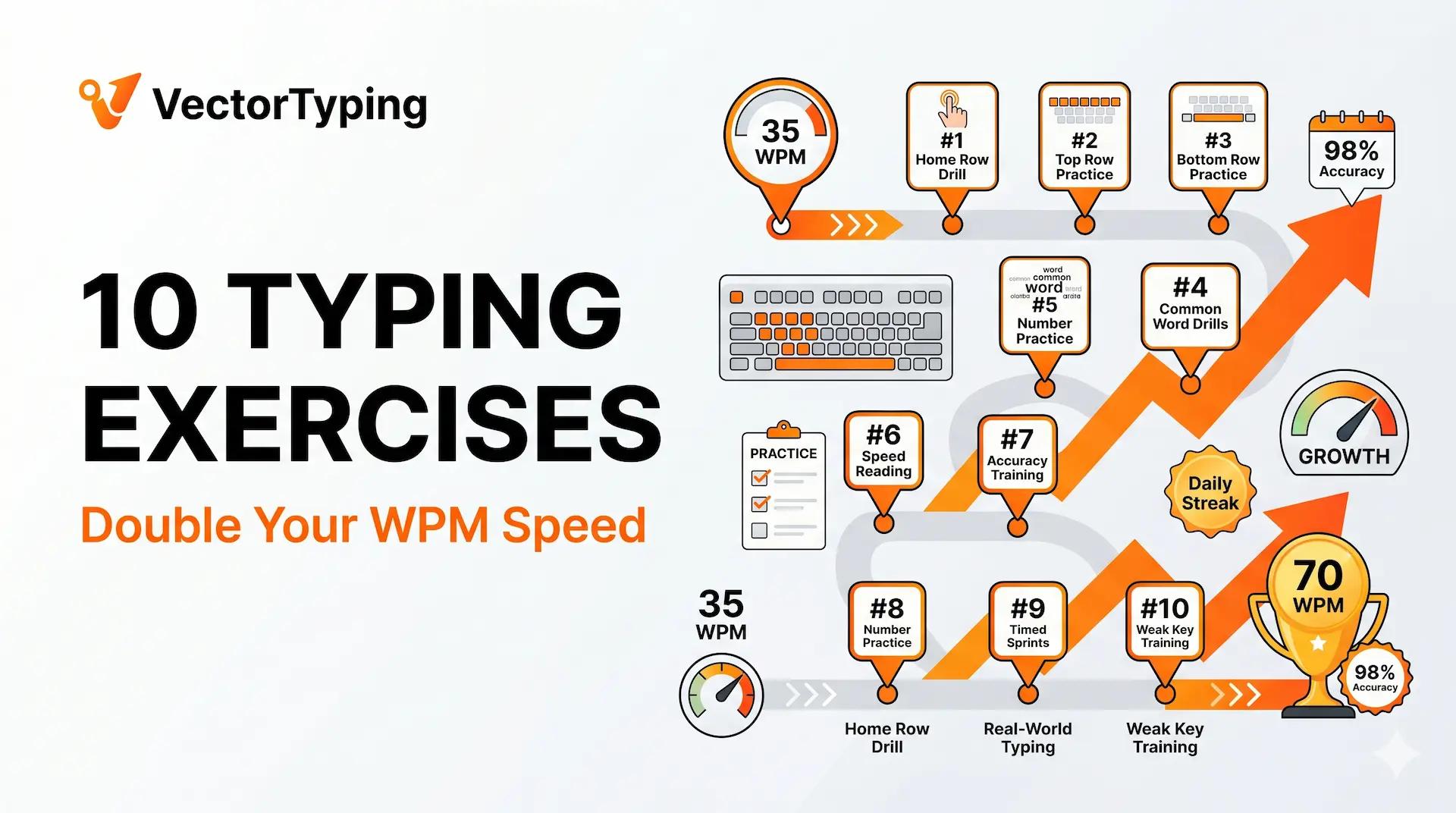
Improving typing speed requires more than random practice — it requires targeted drills that address specific weaknesses. The 10 exercises below are used by professional typing coaches, government exam toppers, and data entry trainers to produce measurable WPM improvements in days, not months.
Exercise Overview — WPM Gain and Time
10 Typing Drills — Expected Gains
| Exercise | WPM Gain (typical) | Skill Targeted | Time Per Session |
|---|---|---|---|
| Home row mastery drill | Foundation for all other gains | All 10-finger touch typing | 10 min |
| Zero-error challenge | Locks in accuracy habit | Accuracy, precision | 10 min |
| Word chunking drill | 2–4 WPM | Speed on common words | 10 min |
| Difficult word isolation | 1–3 WPM net | Specific error elimination | 10 min |
| Contrast speed drill | 3–6 WPM ceiling | Speed expansion | 15 min |
| No-backspace mode | Accuracy + exam discipline | Error prevention habit | 15 min |
| Number and punctuation drill | 2–4 WPM on specific keys | Number row and symbols | 5 min |
| Endurance drill (12–15 min) | 3–5 WPM in final minutes | Stamina | 15 min |
| Weak key targeting | 1–3 WPM on specific letters | Per-key accuracy | 10 min |
| Rhythm typing (metronome) | 2–4 WPM consistency | Speed consistency | 10 min |
Exercise 1: Home Row Mastery Drill
Type the following sequence until your fingers reach the home row keys without any conscious thought: asdf jkl; asdf jkl; fdsa ;lkj. Do this for 5 minutes before every session. This is not about speed — it is about anchoring. Every time you return to home row, it should feel like coming home.
Home Row Drill — What to Type
| Phase | Text to Type | Goal |
|---|---|---|
| Minute 1 | aaa sss ddd fff jjj kkk lll ;;; (repeatedly) | Individual key isolation |
| Minute 2 | asdf jkl; asdf jkl; (repeatedly) | Row grouping |
| Minute 3 | sad dal fall fall flak flask glass (home row words) | Real words from home row |
| Minute 4 | flask glass asks fads lads fall (longer words) | Rhythm and fluency |
| Minute 5 | Free typing: any home row words without looking | Motor memory consolidation |
Exercise 2: Zero-Error Challenge
Choose a 100-word passage on VectorTyping. Your only goal is zero errors. If you make a mistake — any mistake — start from the beginning. Do not time yourself. Do not track WPM. This drill builds the accuracy habit that prevents errors from becoming permanent. Most people clear a 100-word passage with zero errors within 3–5 attempts on day 1.
Exercise 3: Word Chunking Drill
Type the 30 most common English words 100 times each over the course of a week. These words (the, and, for, that, this, with, are, have, from, they...) account for 25% of all text. When they become automatic motor responses, your brain can focus on the next word while your fingers handle the current one.
Top 30 English Words to Drill First
| Rank | Word | Rank | Word | Rank | Word |
|---|---|---|---|---|---|
| 1 | the | 11 | are | 21 | from |
| 2 | and | 12 | have | 22 | they |
| 3 | for | 13 | this | 23 | will |
| 4 | that | 14 | with | 24 | been |
| 5 | of | 15 | not | 25 | said |
| 6 | in | 16 | but | 26 | into |
| 7 | is | 17 | at | 27 | time |
| 8 | to | 18 | by | 28 | when |
| 9 | a | 19 | be | 29 | also |
| 10 | it | 20 | an | 30 | than |
Exercise 4: Difficult Word Isolation
After each timed practice session, identify the 5 words you mistyped most. Type each one 30 times in a row — slowly and correctly. The 30-repetition rule is important: motor learning research shows that 20–30 accurate repetitions are needed to overwrite an error habit. Five repetitions does nothing.
Exercise 5: Contrast Speed Drill
Set your timer for 10 minutes. Alternate every 2 minutes between two speeds: (a) your comfortable accuracy speed (where you stay above 97% accuracy) and (b) your maximum sprint speed (10–15 WPM above normal — accept some errors). The sprint phase pushes your ceiling; the accuracy phase locks in the gains. This alternation is more effective than uniform speed practice.
Exercise 6: No-Backspace Mode
Practice in no-backspace mode for 15 minutes per session at least twice per week. This forces correct-first-time typing — the only mode that works in Army Agniveer and several other exams. It also dramatically improves accuracy in exams where backspace is allowed, because you stop treating errors as reversible mistakes and start preventing them.
Exercise 7: Number and Punctuation Drill
Number and Punctuation Drill Sequences
| Target | Drill Sequence | Reps |
|---|---|---|
| Numbers 1–5 | 11111 22222 33333 44444 55555 12345 12345 | 20× each |
| Numbers 6–0 | 66666 77777 88888 99999 00000 67890 67890 | 20× each |
| Comma and period | a, b, c, d. e, f, g. h, i, j. | 50 sentences |
| Colon and semicolon | a: b; c: d; (practice in formal sentences) | 20 sentences |
| Mixed numbers | Phone numbers: 9876543210 (type 20 different numbers) | 20 numbers |
Exercise 8: Endurance Drill
The last 3 minutes of a 10-minute test are where most candidates lose WPM. The fix is to regularly practise 12–15 minute sessions, making 10 minutes feel comfortable rather than maximal. Run a 15-minute typing session at least twice per week from week 3 of preparation onwards. You do not need a timed test for this — just set a timer and type continuously.
Exercise 9: Weak Key Targeting
Use Keybr.com to identify your exact weak keys — it generates a per-key speed and accuracy heatmap. Find your bottom 3 keys. Spend 5 minutes per session running specific drills on those keys: type words that contain them repeatedly, then type full passages that have been chosen for high frequency of those characters.
Exercise 10: Rhythm Typing
Download a free metronome app. Set it to 60 BPM. Type one character per beat for 5 minutes. This is deliberately slower than your normal pace. The goal is not speed — it is perfect, even rhythm. After 5–7 sessions, your natural typing rhythm evens out: the pause between hard and easy words decreases, and your average WPM improves as a result.
Sample 30-Minute Daily Practice Routine
30-Minute Daily Typing Practice Plan
| Time | Exercise | Purpose |
|---|---|---|
| 0–5 min | Home row drill | Warmup + anchor finger positions |
| 5–15 min | Exam-specific passage (VectorTyping SSC/Railway mode) | Primary skill-building |
| 15–22 min | Contrast speed drill (comfort/overload alternation) | Speed ceiling expansion |
| 22–27 min | Weak key or difficult word drill | Error elimination |
| 27–30 min | Record WPM + accuracy; note top 3 errors | Track progress, prioritise next session |
Frequently Asked Questions
How many minutes should I practise typing per day?
30 minutes of focused, structured practice per day is optimal for most government exam aspirants. This produces consistent 3–5 WPM improvement per week. More than 60 minutes per day shows diminishing returns and increases the risk of fatigue-based errors forming as bad habits.
What is the best typing practice for government exams?
The highest-value practice combination: 15 minutes of exam-specific passages (SSC/Railway/Army mode on VectorTyping) + 10 minutes of timed mock tests 3× per week + 5 minutes of targeted error drills. Random practice on casual text is low-value for exam preparation.
Can typing exercises improve WPM significantly in 1 week?
Yes — 3–8 WPM improvement in 7 days is realistic for most candidates, particularly those who have not previously used structured drills. The biggest single-week gains come from eliminating keyboard-looking (if present) and switching to accuracy-first practice protocol. Subsequent weeks show 2–4 WPM gains as technique consolidates.
Keep learning
Continue Reading
More articles on practice

How to Pass the SSC Typing Test Using VectorTyping: 30-Day Practice Plan
Complete guide to passing the SSC CHSL and CGL typing test. Includes scoring rules, KPH conversion for DEO posts, Hindi Inscript layout guide, and a 30-day VectorTyping plan.
Pinku
·
9 Aug 2026
9 min read
Read

Best Typing Websites 2026: Top 10 Free Typing & Practice Sites Ranked
Compare the 10 best typing websites of 2026 — VectorTyping, Monkeytype, Keybr, 10FastFingers, and more. Find the best site for govt exams, free certificates, and speed practice.
VectorTyping Team
·
7 Jun 2026
9 min read
Read
Touch Typing Tutorial: Learn to Type Without Looking — Complete Beginner Guide
Step-by-step touch typing tutorial for beginners. Home row placement, finger key map, 4-week learning plan, common mistakes, and govt exam suitability guide.
VectorTyping Team
·
6 Jun 2026
9 min read
Read
Free to start · No sign-up required
Ready to improve your typing speed?
Practice SSC, Railway, Banking, Hindi & English typing with real exam passages and live WPM tracking.
10K+
Passages
50+
Exam patterns
100%*
Free forever